How to Delete a Membership Payment
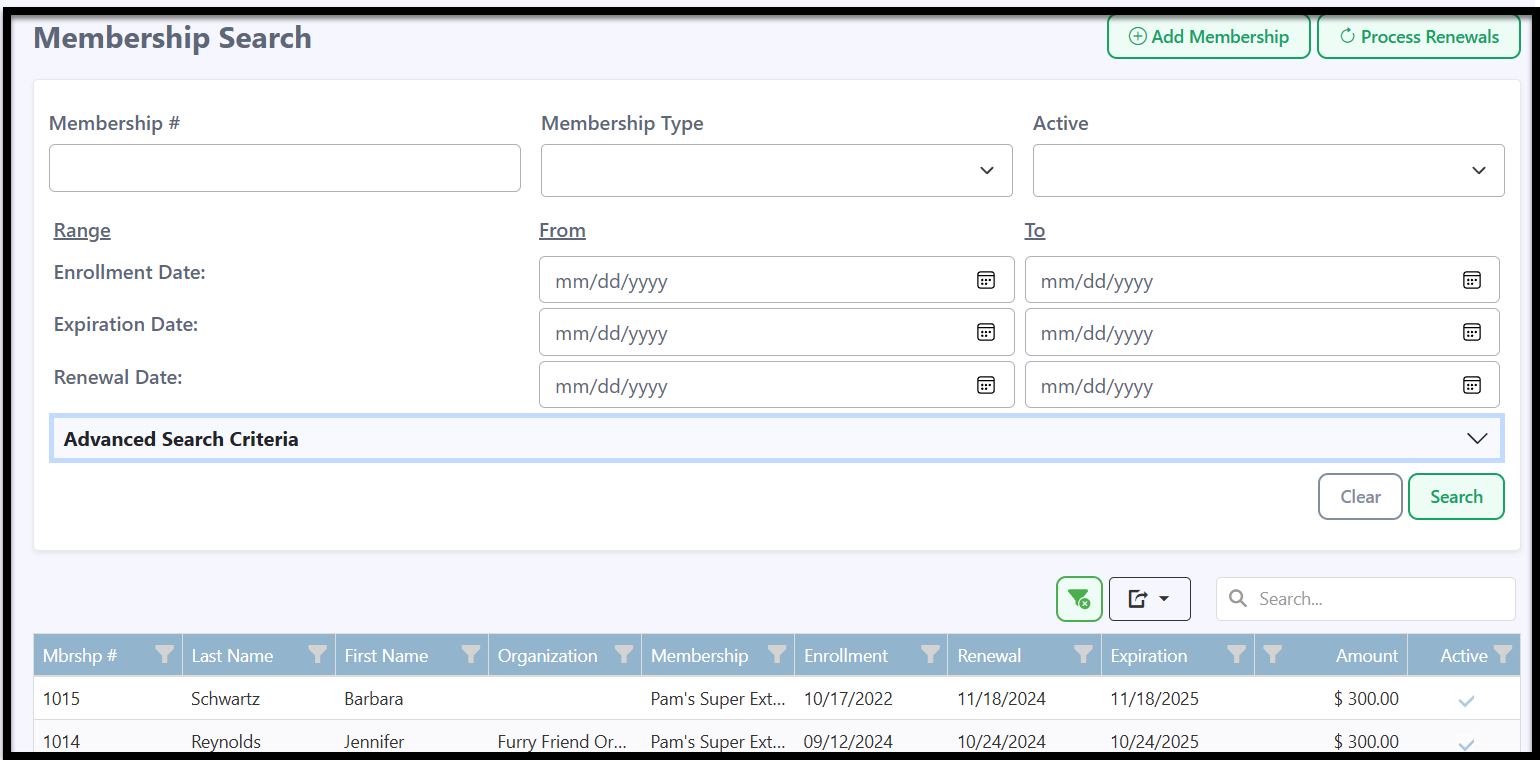
- To delete a membership payment, select the Memberships tab in the left navigation bar.

-
Use Membership Search to find the membership you want to delete a payment from, then click on it.
-
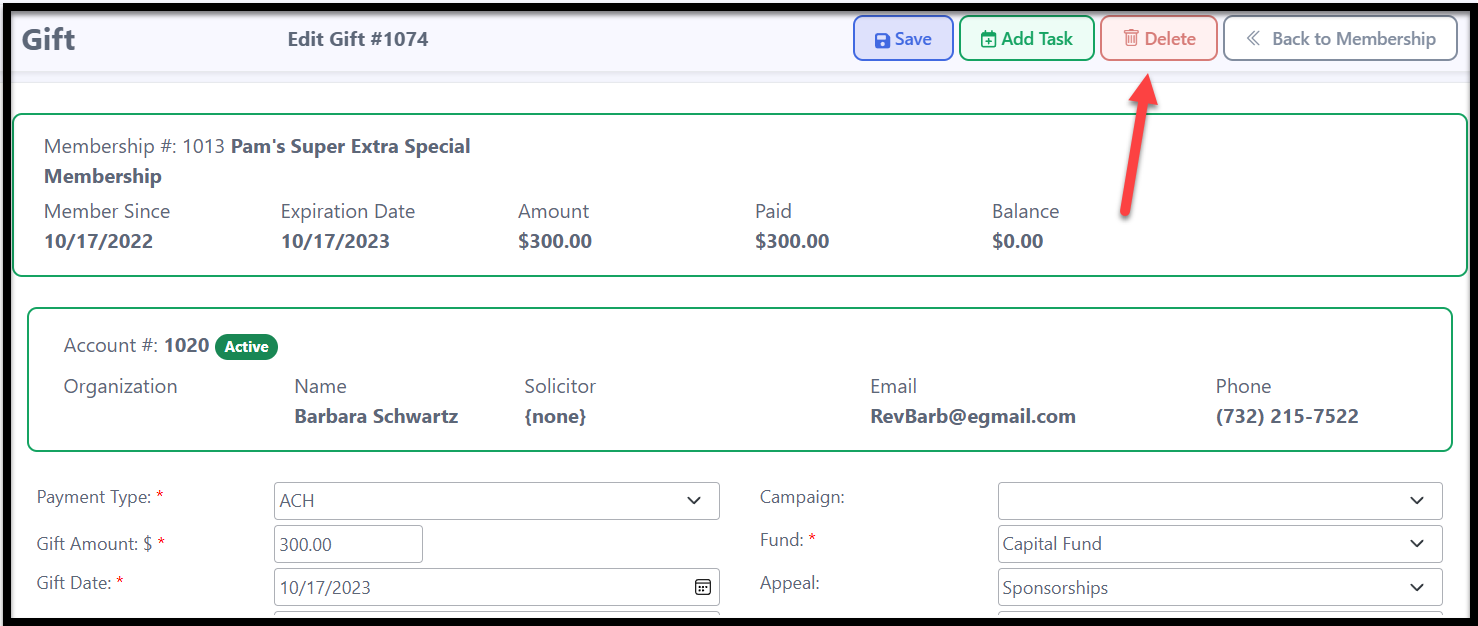
Scroll down to the Membership Payments section and click on the payment you want to delete.

-
Click the red Delete button in the upper right-hand corner.
-
A popup message will appear asking if you are sure you want to delete. Click OK to proceed or Cancel to stop the process.

The membership payment will be deleted.