How to Manually Add a Gift
There are several ways to manually add a donation in Eleo. Click an option below to jump to that section:
Option 1: Using the Top Search Bar
-
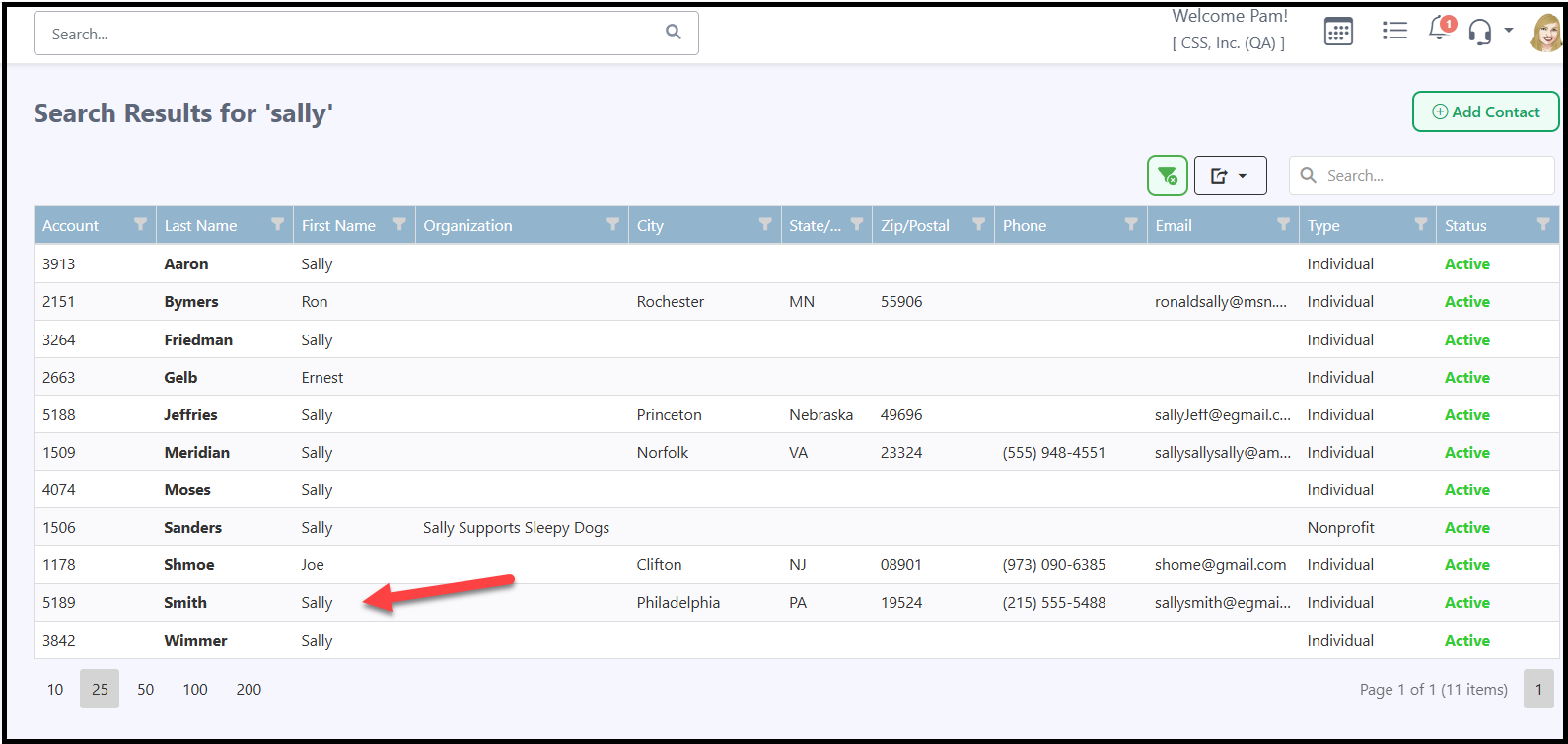
Search for the contact using the top Search bar.

-
Click on the name to open the contact record.
-
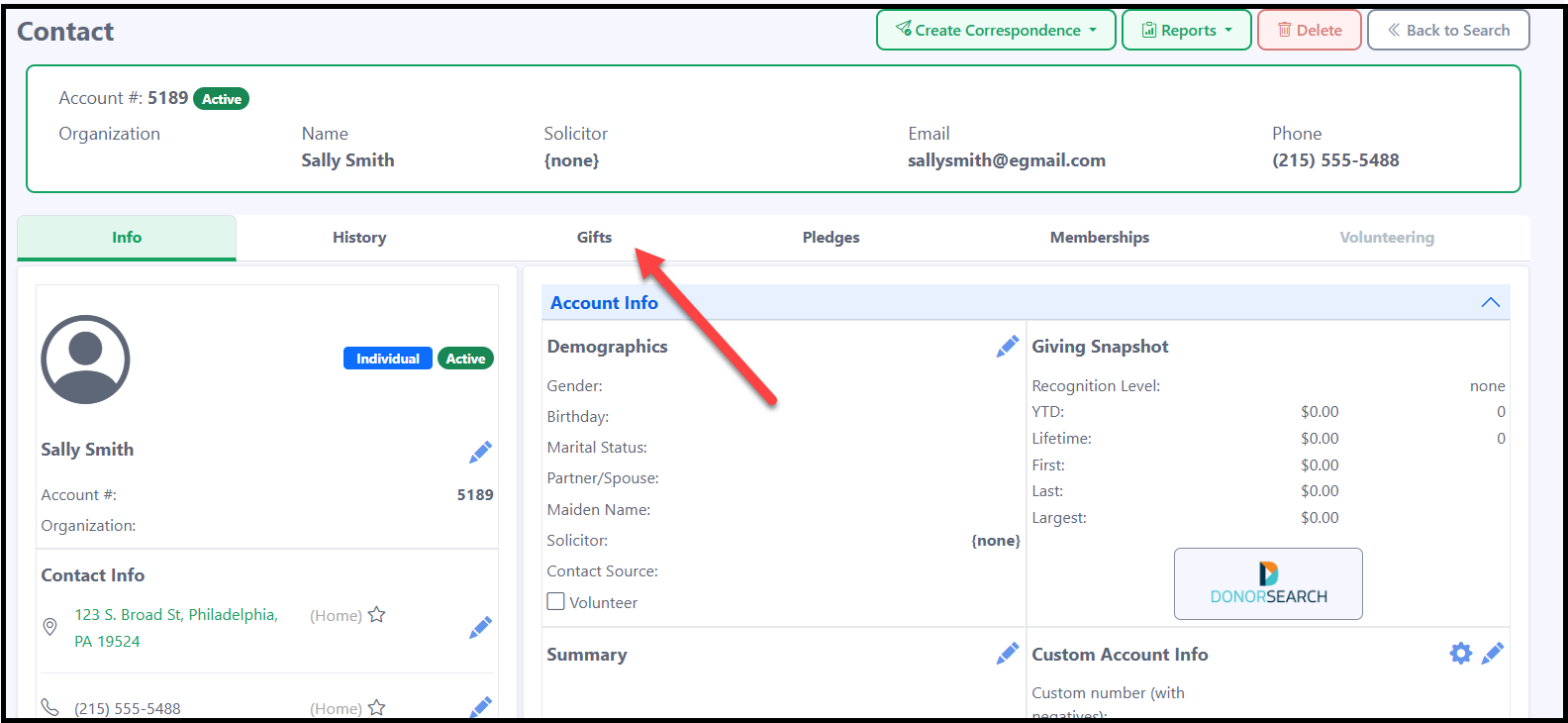
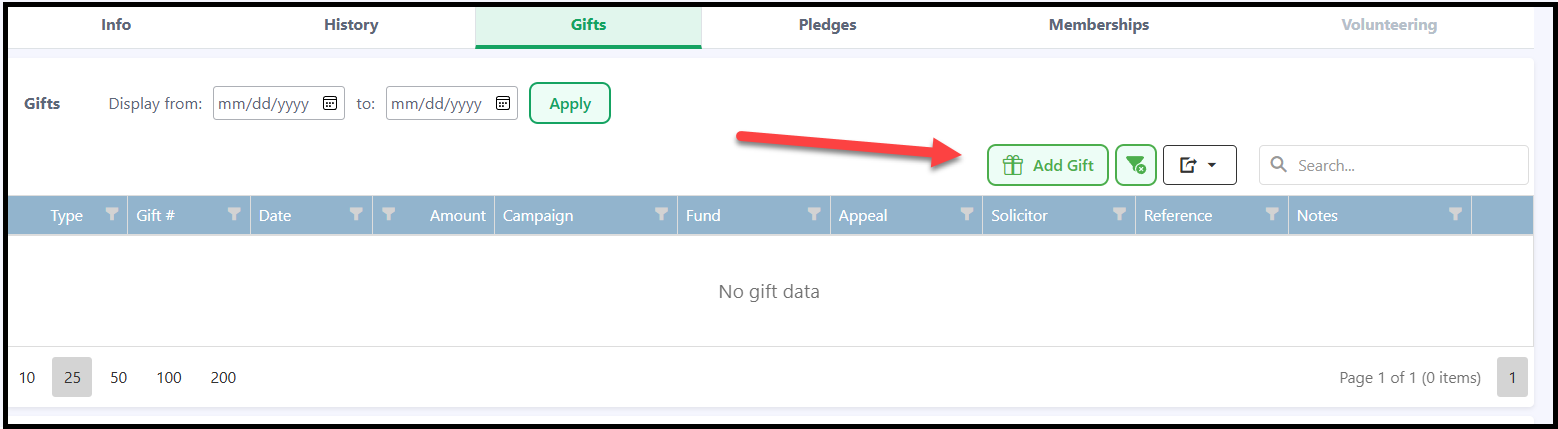
Click the Gifts tab.
-
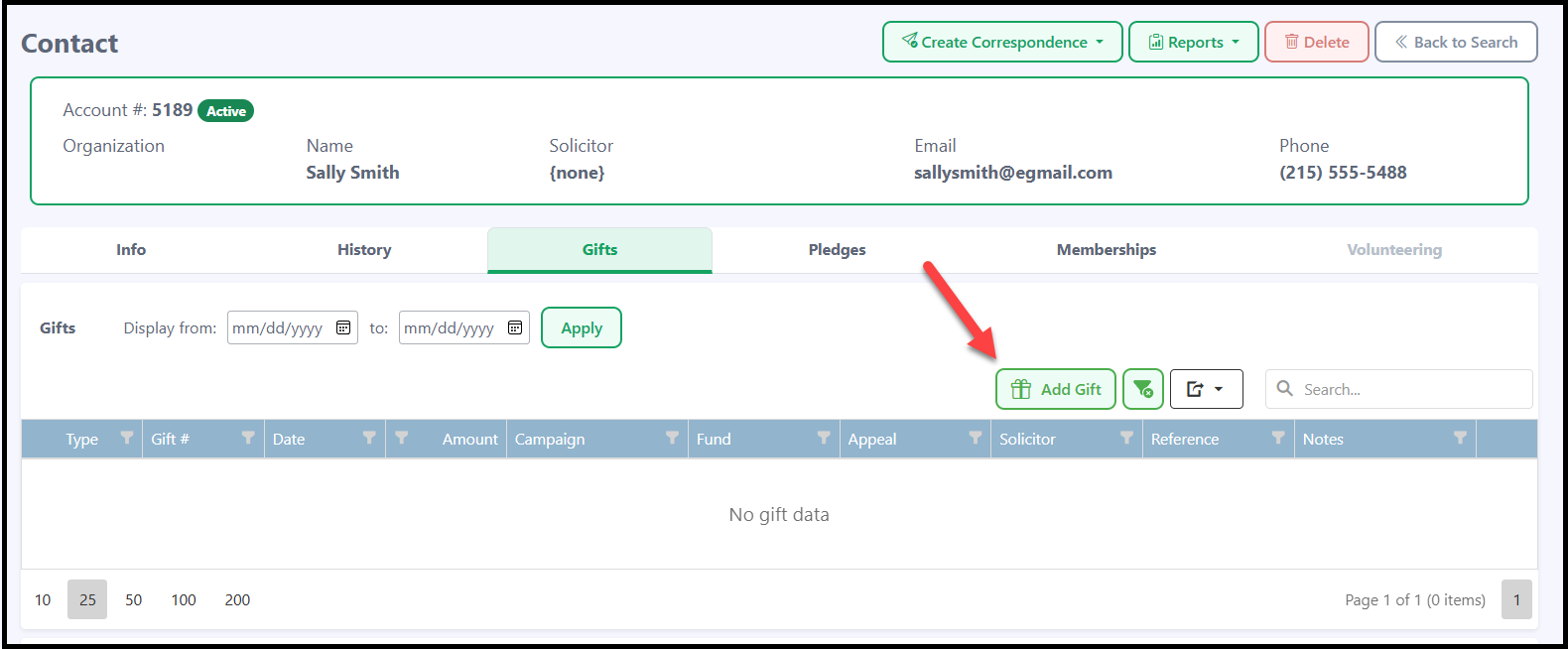
Click Add Gift.
-
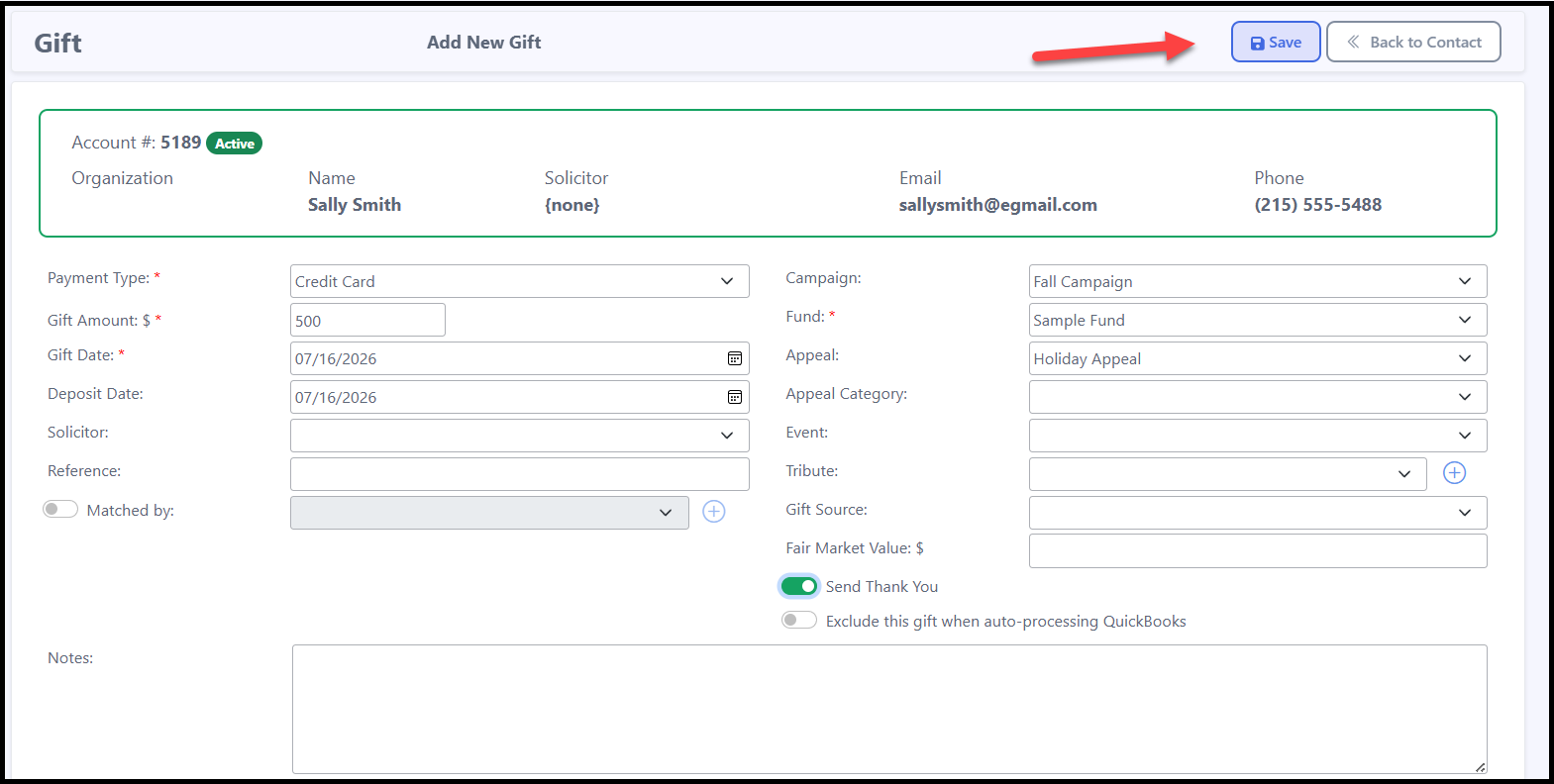
Enter the gift information and click Save.
Option 2: Using Contact Search
-
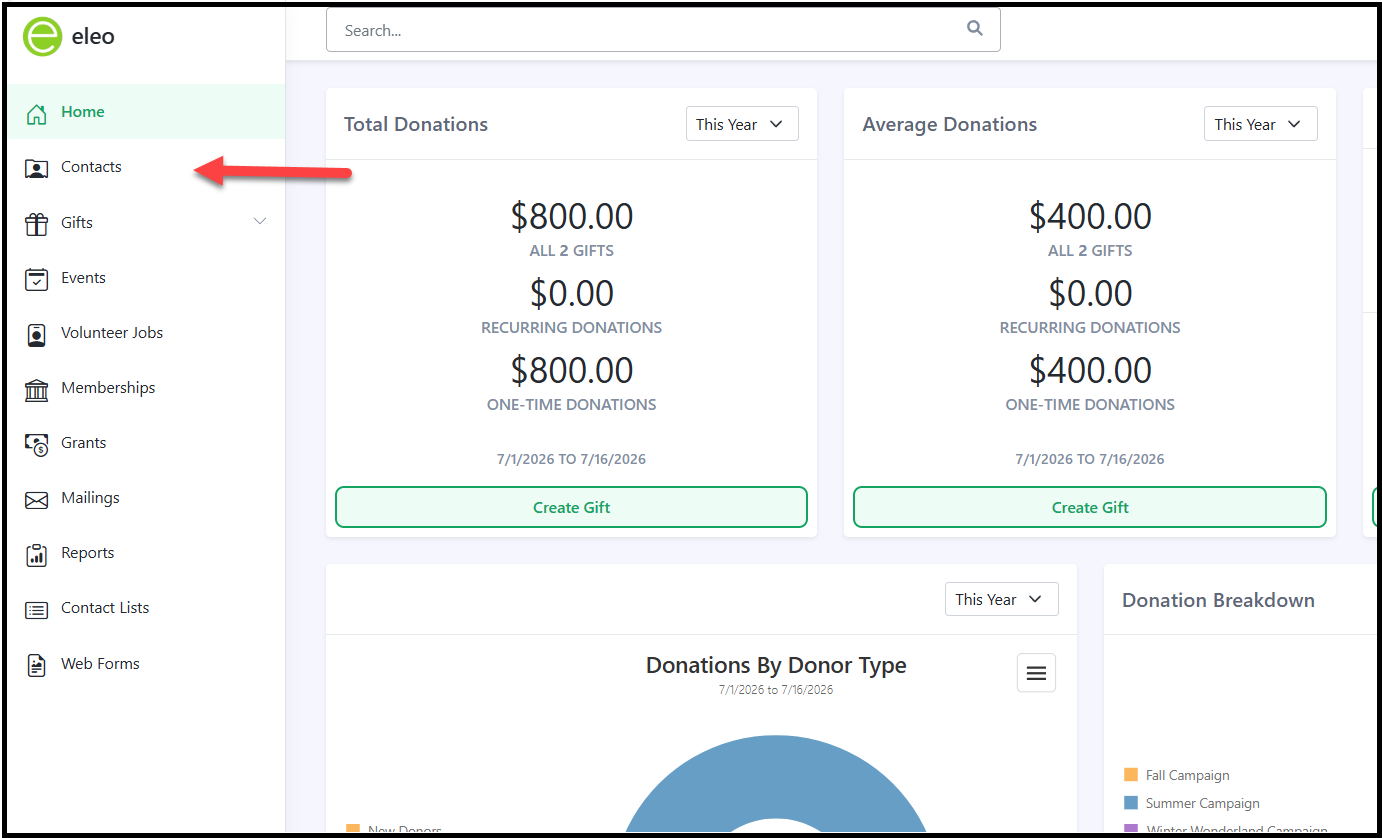
Navigate to Contacts.
-
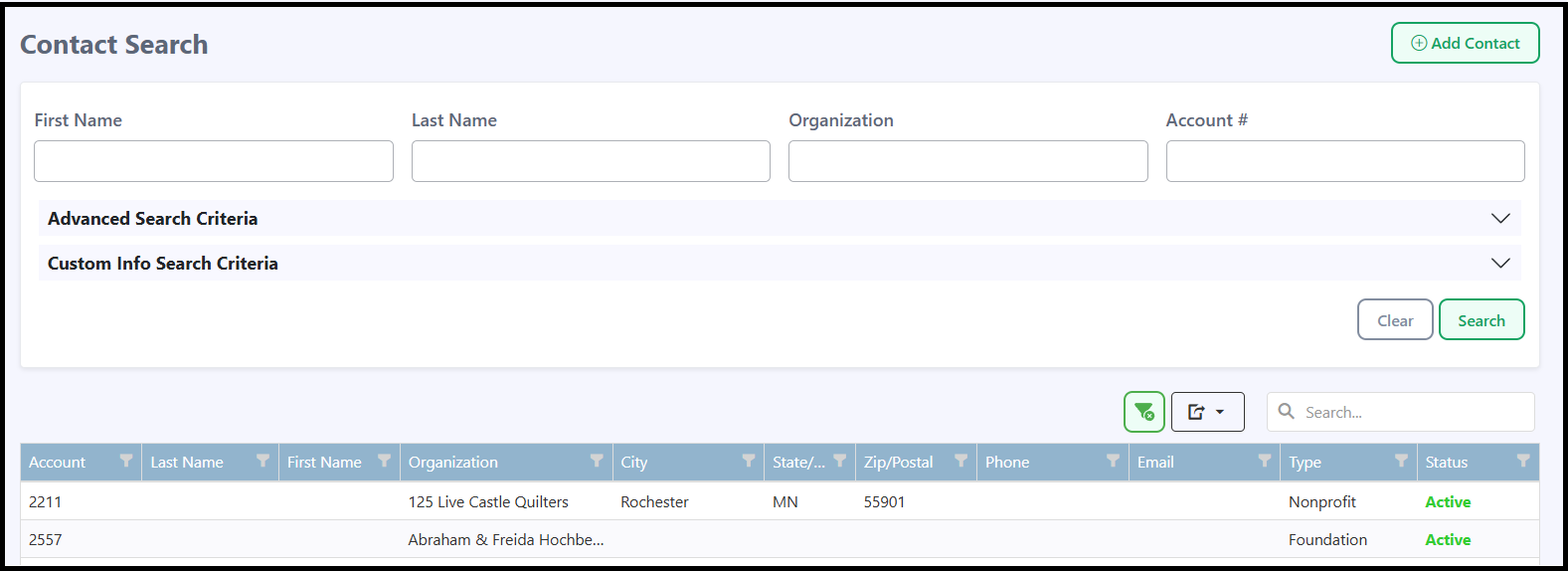
This will take you to the Contact Search. Search for the name of the contact you wish to add the gift to.
-
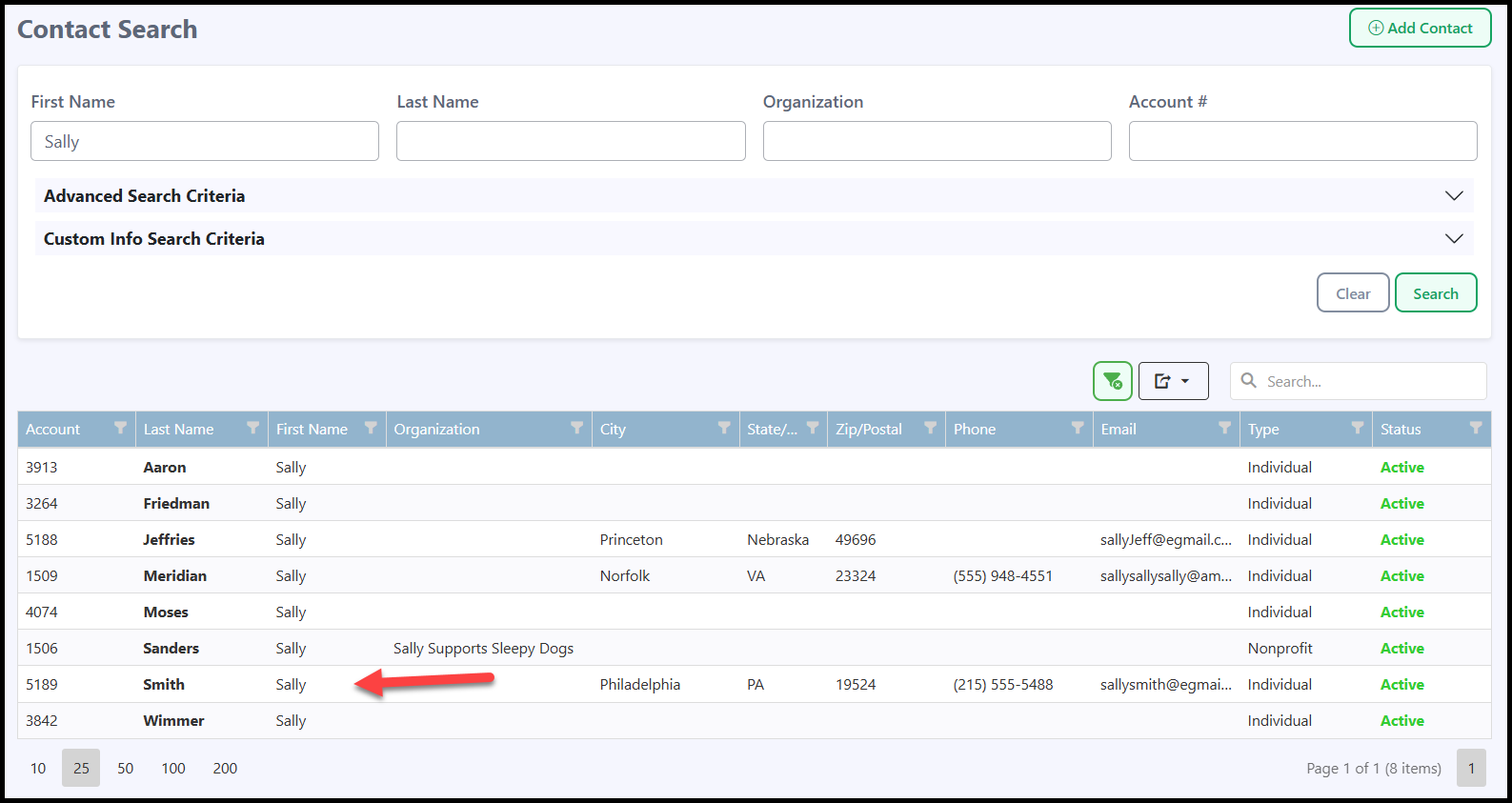
Open the desired contact record by clicking on it.
-
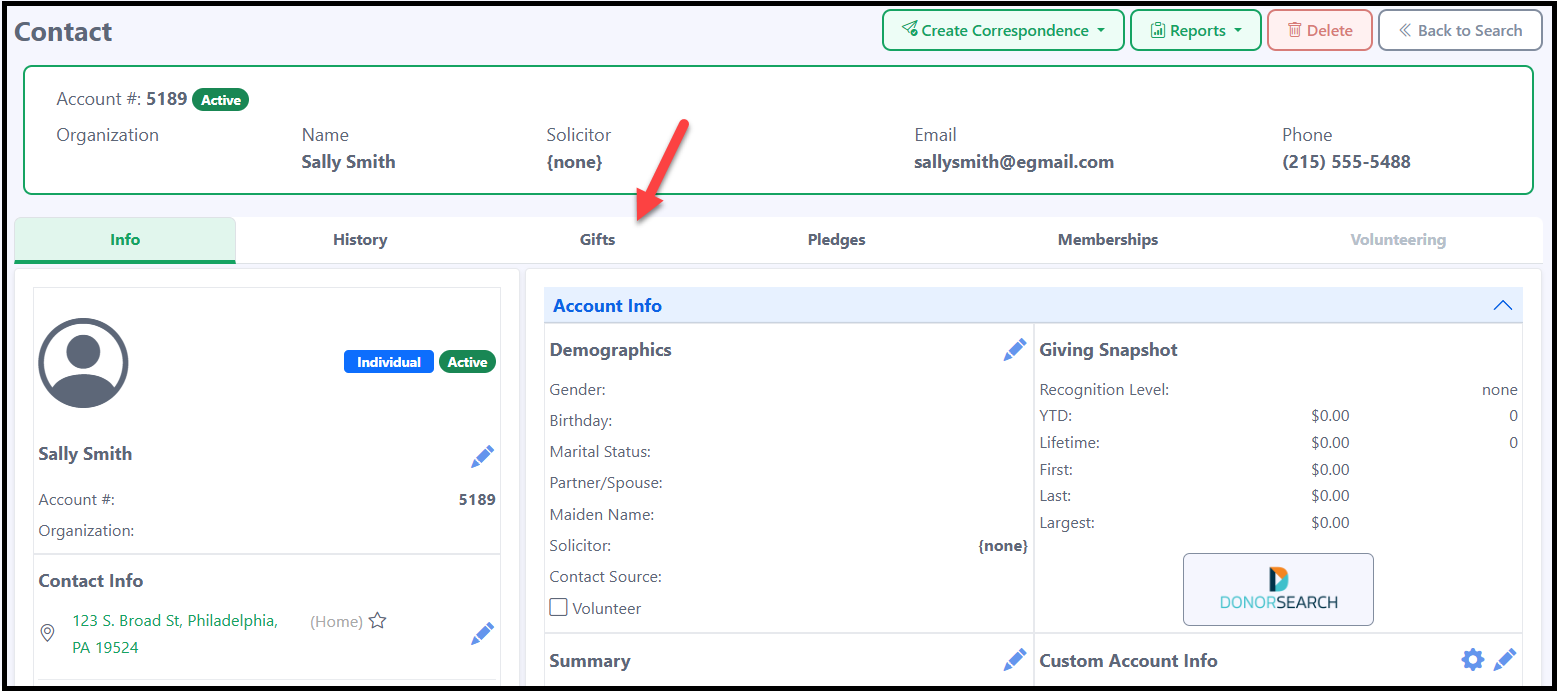
Click the Gifts tab.
-
Click Add Gift.
-
Enter the gift information and click Save.
Option 3: Using the Gifts Menu
-
Navigate to Gifts > Gifts/Credits.

-
Click Add Gift.
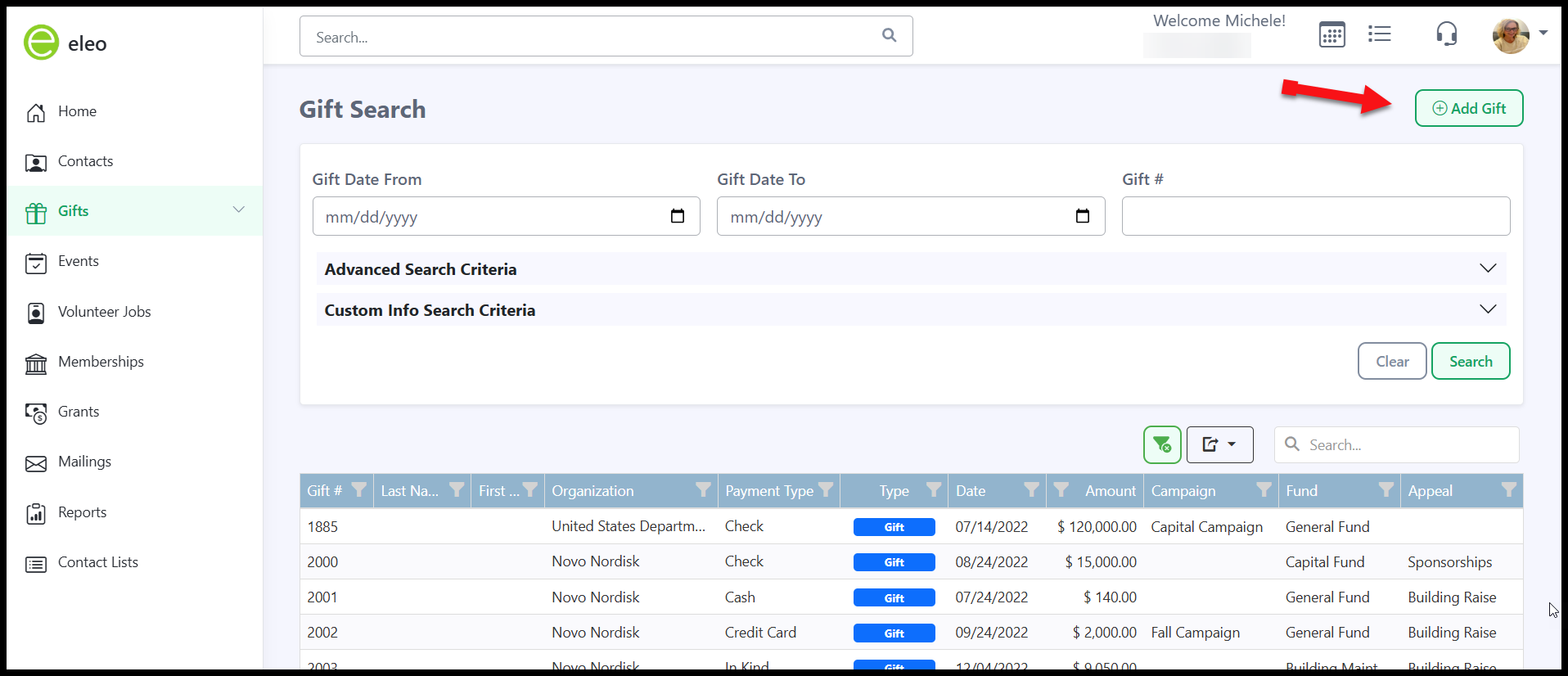
- Select the contact from the dropdown and enter the gift information.
Please note: All fields marked with a red asterisk are required. All other fields are optional.


- Click Save.
The donation will now appear under the Gifts tab of the contact's record as well as under Gifts > Gifts/Credits.