Include Soft Credits in your Giving Snapshot
You now have the option to add Soft Credits to Contacts. To enable this feature, please navigate to the settings dropdown and select Site Settings.
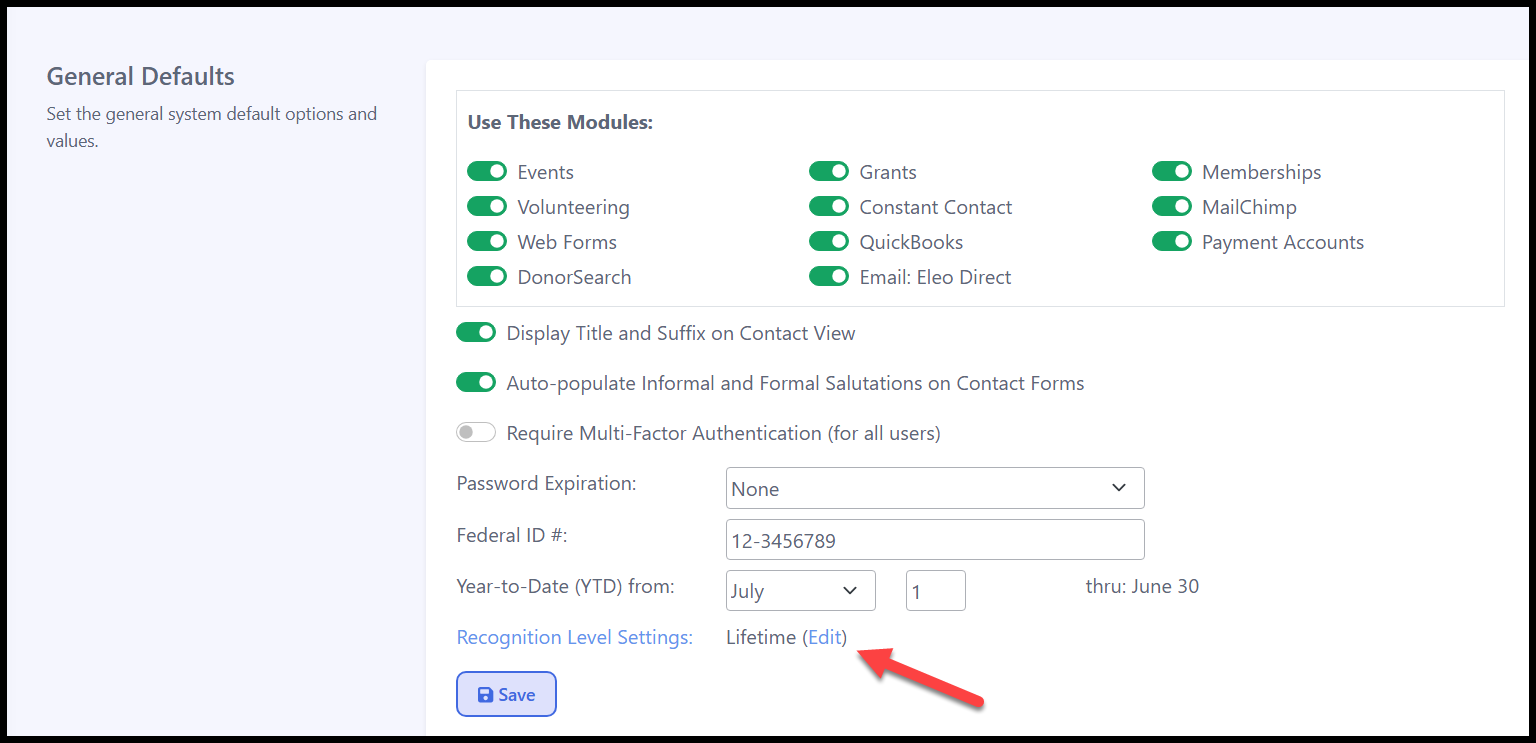
In General Defaults, under Recognition Level Settings, click 'Edit'.
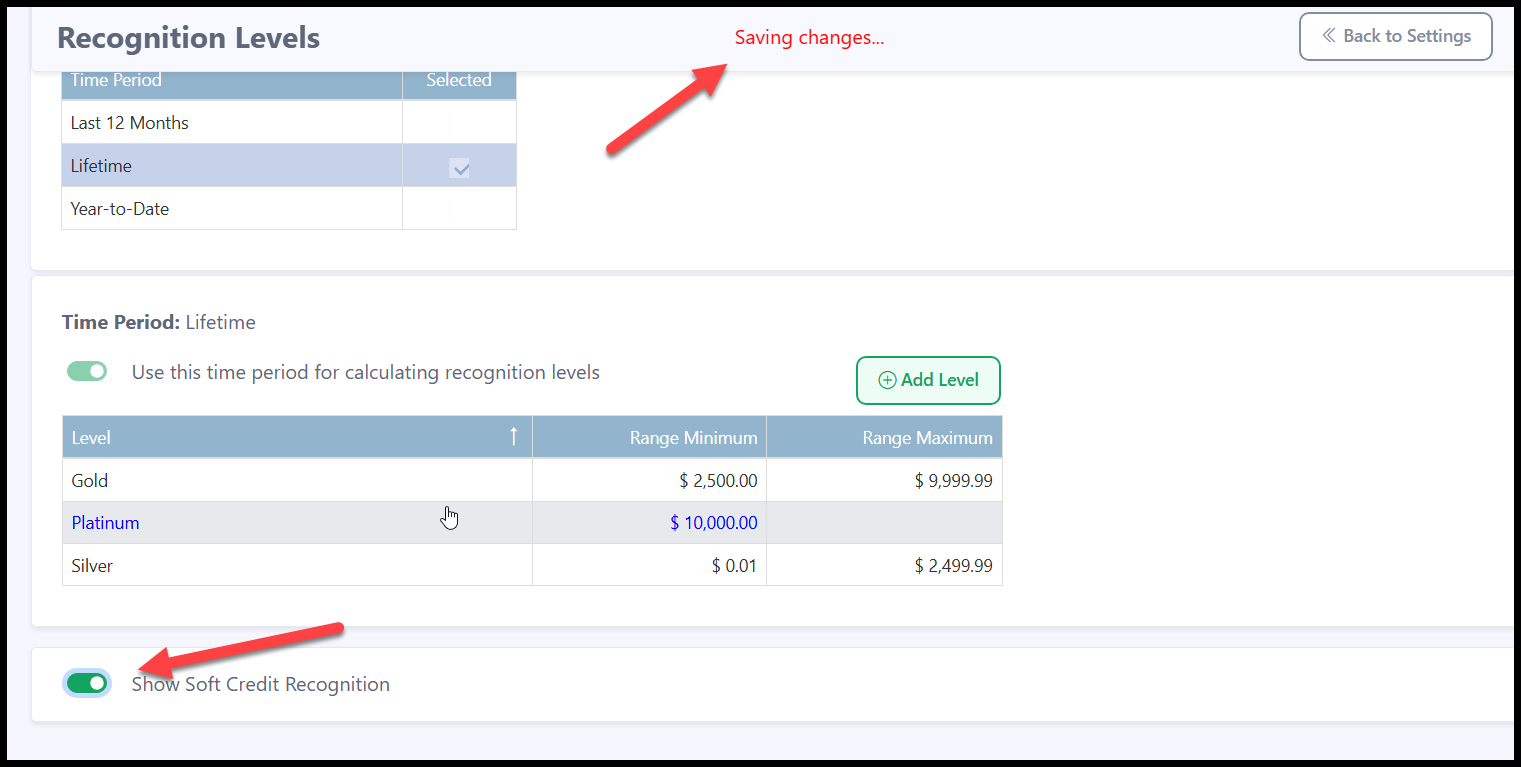
On the following screen, toggle on the 'Show Soft Credit Recognition' option. This action will be automatically saved.
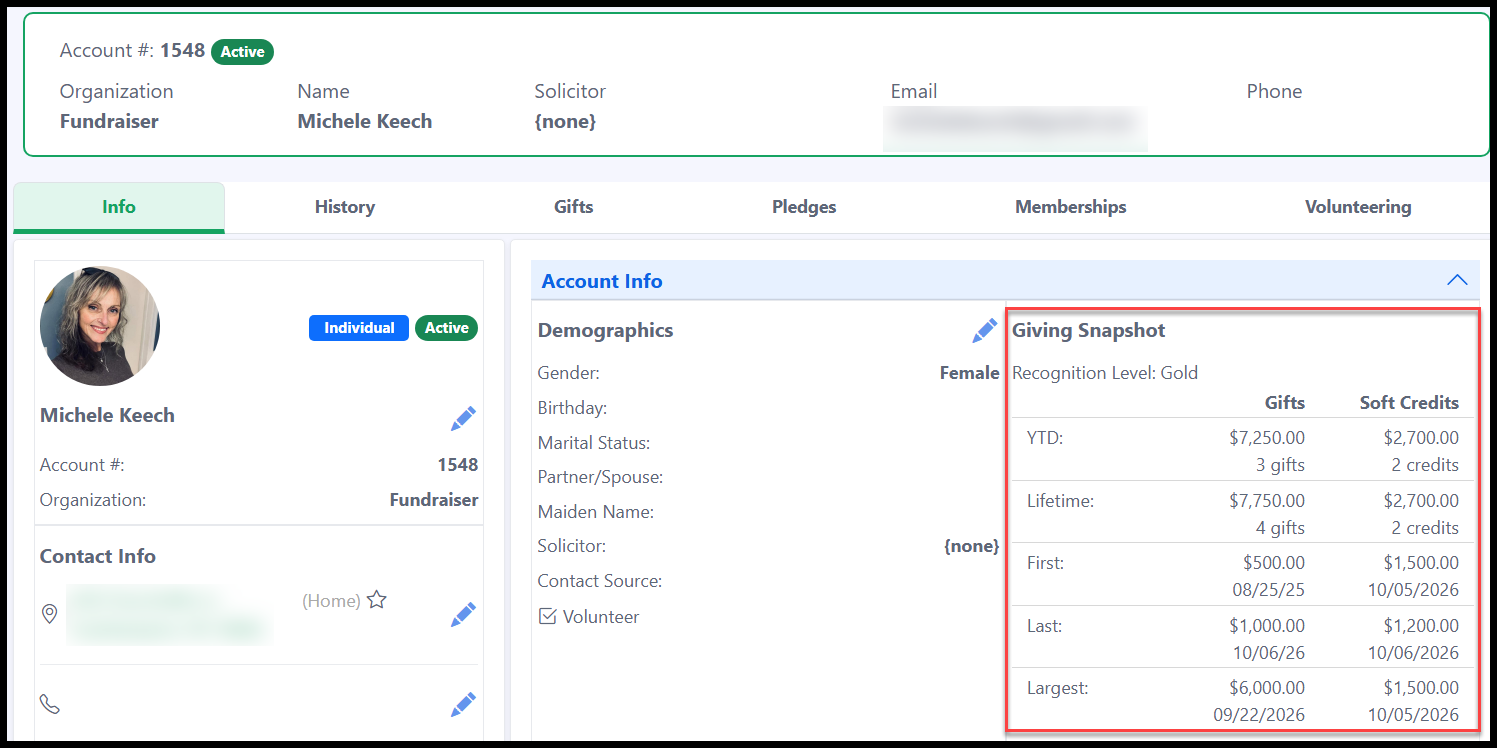
You will see that Soft Credits are reflected in the Giving Snapshot in each contact record.
If you would like to turn this option off, simply go back to General Defaults and toggle off ‘Show Soft Credit Recognition’.